
How to Automatically Calculate Bill Splitting from Receipt Photos: 2026 Guide
Learn how to automatically calculate bill splitting just by taking a photo of your receipt. Covers OCR error prevention and app comparison. Split The Bill requires no registration and is permanently…
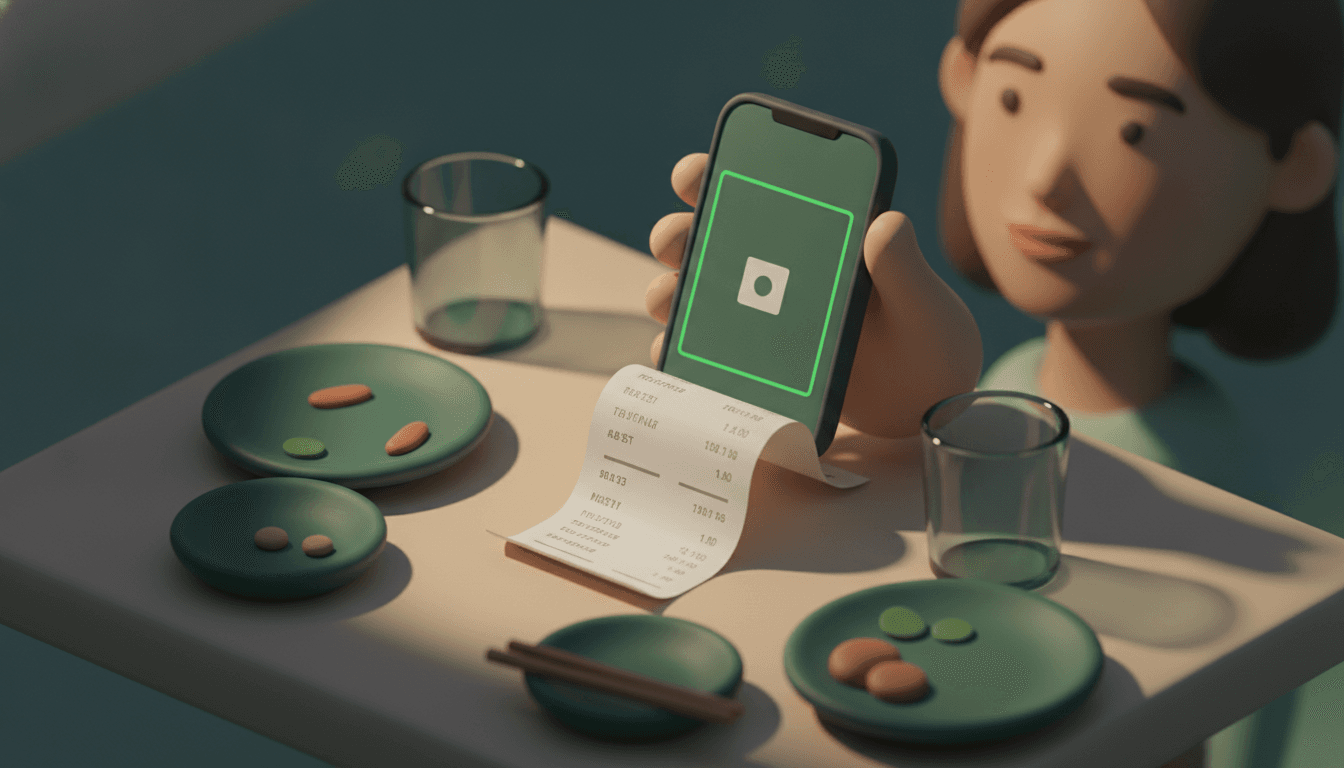
Taking just one photo of a receipt allows you to automatically calculate split amounts. By capturing a receipt with your smartphone camera, AI reads the store name, items, and total amount, calculating who should pay what and how much in just a few seconds.
Split The Bill is a money management app that lets you create bill splits from receipt photos and settle expenses directly in your browser. Participants can check their individual shares on the spot via a shared link without needing to install an app or register an account.
This article is written for organizers of drinking parties or trips, household budget managers in shared housing, and cohabiting couples who want to finish settling expenses without manually entering receipt numbers. By the time you finish reading, you will be able to handle everything from shooting tips to fixing misreads and choosing the right app.
Key takeaways
- Receipt OCR reading accuracy reaches around 90–99% for typical receipts with clear printing, but misrecognition rates spike quickly if thermal paper is faded or curled.
- Common OCR misreadings include confusing "8" with "3" or "1" with "7", making cross-checking against the total amount essential.
- In itemized mode, the basic rule is to split shared items like seating fees or cover charges equally, while assigning individual orders only to the respective person.
- Using a minimum transfer count algorithm minimizes "who sends money to whom and how many times" even in groups of 5 or more.
- Split The Bill requires no app installation, no credit card registration, and is permanently free, allowing users to check their shares in the browser via a shared link.
How bill splitting works from a receipt photo
Bill splitting from a receipt photo consists of a 5-step process: (1) capturing the photo -> (2) extracting items and amounts via AI-OCR -> (3) assigning items to participants -> (4) prorating taxes and service charges -> (5) calculating settlement amounts with the minimum number of transfers. The process from capture to results display typically takes around 30 seconds.
While the reading itself uses AI OCR (Optical Character Recognition), the final amount calculation is not an AI guess. It is a deterministic calculation based on fixed rules. If you input the same receipt and the same assignments, anyone calculating it will get the same answer. Misunderstanding this often leads to the misconception that "AI calculates it somehow," but in reality, OCR merely reads the text, and divisions and prorations are ordinary arithmetic.
By using a tool where only the organizer takes a photo and shares the results via LINE or other platforms, participants do not need to install an app. This difference is especially crucial for anyone who has experienced friction from apps that demand installation by everyone.
3 tips to avoid shooting mistakes
To avoid mistakes when photographing receipts, flatten thermal paper folds, shoot on a bright, level surface free of shadows or glare, and ensure the entire receipt from item names, unit prices, and tax rates to the total is framed inside the shot. Following these three rules significantly reduces OCR misreads.
Specifically, keep the following three points in mind:
- Flatten folds: Thermal paper receipts curl easily, and text can cut off at the folds, causing misreads.
- Ensure uniform lighting: Overhead lighting or window backlighting creates glare and shadows. A spot receiving natural light from an angle above is ideal.
- Fit the entire frame: If just one element—item name, unit price, tax rate, or total—is cut off, OCR cannot cross-check against the total. For long receipts, splitting them into upper and lower photos and having the app read both is foolproof.
5 steps to calculate split bills from receipt photos
Calculating split bills from receipt photos can be organized into 5 steps: preparation for shooting, mode selection, correcting OCR results, linking members to items, and calculating settlement amounts. Following this order allows you to complete settlements within minutes even for a drinking party of about 10 people.
- Preparation before shooting: Following the tips in the previous chapter, photograph the entire receipt in a bright, level location.
- Mode selection: Choose "Bulk Total Mode" for uniform bills across the board, or "Itemized (Details) Mode" if individual orders differ or personal items are mixed in.
- OCR reading and correction: Manually check and correct item names and amounts extracted by the AI against the total field, ensuring no omissions or minus applications for discount coupons.
- Linking members and items: Assign shared items like table fees or cover charges equally to everyone, and check off individual orders only for the specific person.
- Settlement and transfer instructions: Send the results generated by the minimum transfer algorithm—such as "Person A sends ¥X to Person B"—to a LINE group or similar via a shared link.
With this workflow, a single organizer can complete everything from shooting to verification, while participants only need to open the link to check their own amounts.
Equal split vs. itemized splitting: which should you choose?
Equal splitting is suited for cases where everyone pays the same amount, while itemized splitting fits situations with differences in individual order amounts or drinking habits. The criteria for decision-making are simple: just ask yourself, "Did everyone eat the exact same things in the exact same amounts?"
Equal splitting works well for drinking parties where course meals are ordered and everyone consumes the same items, or for small lunches. The calculation finishes instantly, leaving no room for argument. On the other hand, itemized splitting suits cases where some people do not drink, individuals order separate dishes, or someone wants to separate souvenirs or gifts into a different bill. In these cases, assigning responsible parties per item and prorating taxes and service charges proportional to each person's order amount is fair.
| Scenario | Recommended Method | Reason |
|---|---|---|
| Course meal / all-you-can-drink party | Equal split | Everyone consumes the same content |
| Dining gathering with non-drinkers | Itemized split | Alcohol costs can be separated out fairly |
| Izakaya where individuals order separately | Itemized split | Order amounts vary significantly |
| Roommates' rent and utility bills | Proportional proration | Allocation based on income differences or usage is needed |
Ongoing payments like rent and utilities for roommates or cohabiting couples cannot be wrapped up in a single receipt. For allocation methods when there are income disparities, refer to Is splitting rent fairly for cohabiting couples? Allocation methods and formulas when there is an income gap (in Japanese).
OCR reading accuracy and checking methods to prevent misreadings
Receipt OCR reading accuracy reaches around 90–99% for straightforward, typeset receipts, but misrecognition rates shoot up dramatically when dealing with handwritten invoices, faded thermal paper, or curled receipts. Since a single digit error can throw off settlement amounts by hundreds to thousands of yen, sparing no effort on verification is essential.
Common misread patterns include confusing "8" with "3" or "1" with "7". This phenomenon occurs particularly easily on thermal paper receipts where fonts are smudged. The countermeasure is simple: always cross-check the sum of the item amounts read by the OCR against the total amount printed on the receipt. If the amounts do not match, an item somewhere has been misread.
Handwritten receipts with payee names or receipts lacking itemized printing cannot have their items accurately broken down by most specialized apps. While general-purpose AIs (such as ChatGPT or Claude) can read them to some extent, understanding that OCR in bill-splitting apps is built on the premise of "receipt-format statements" helps eliminate wasted effort, as handwritten slips are their weak point.
When handling foreign receipts during overseas travel, currency conversion errors are also a common pitfall. For settling travel expenses involving multiple currencies, tips on exchange support are summarized in Recommended apps for splitting travel expenses in 2026 (in Japanese).
Which tools can you use without app registration or installation? [Comparison Table]
If you want to avoid participant installation, a realistic choice is a tool where only the organizer shoots and calculates, sharing the results screen link via LINE or other platforms. Because each tool has a different mechanism for "who bears what cost," selection must match your goal.
In Japan, tools are split into several types: browser-based tools requiring no member registration, tools operating entirely within LINE chat rooms, and event-invitation native apps. Free tiers also vary, mixing options with monthly usage limits against those with unlimited usage.
| Tool | Participant Burden | Free Tier | Specialty |
|---|---|---|---|
| Browser-based (no registration) | Open the link only | Many are completely free | Automatic item extraction via AI analysis, calculation of minimum transfer counts |
| LINE-integrated | Complete within LINE chat | Free | Lowest psychological hurdle for installation |
| Event-invitation native app | Join via invitation link | Limited to a few times per month | Minimum transfer count algorithm via graph theory |
| Itemized drag-assignment app | App installation required | Limits on contacts and groups | Individual drag assignment per item, proportional proration of tax and service charges |
| Split The Bill | Open the link only (no install/card registration) | Permanently free | Deterministic calculation, invoicing, budget and recurring payment management integrated |
While all tools share the point that "one organizer takes photos and shares results," they differ significantly in free tier limitations and whether they support continuous uses like rent or invoices. If you want to manage not just a single drinking party, but also rent, utilities, advanced payments, and invoicing in one place, a tool designed for continuous use like Split The Bill is convenient.
What methods are available to calculate bill splitting from receipt photos?
Methods for calculating bill splitting using receipt photos broadly divide into two approaches: "manual entry" and "using an app's OCR feature." Manual entry is reliable, but input errors happen easily and time mounts when participant numbers and item counts are high. Conversely, utilizing the OCR feature allows automatic reading of amounts and items simply by snapping a receipt photo, drastically cutting down the hassle of bill-splitting calculations.
However, OCR accuracy depends on the state of the receipt. Thermal paper receipts easily fade over time, and if text is already faint when photographed, values may not be read correctly. Capturing photos in bright locations without shadows and importing them into calculation apps as soon as possible are tips that lead to accurate bill-splitting calculations.
Why do amounts drift in receipt photo bill splitting?
Cases where total amounts drift when automatically calculating bill splits from receipt photos are common. The main causes are the following three:
- Text recognition mistakes: Misrecognizing similarly shaped characters like numbers "1" and "7", or "0" and "8".
- Omissions in reflecting discounts/points: Lines for coupons or point payments get included in calculations, failing to match actual payment amounts.
- Mixing tax-inclusive and tax-exclusive items: When individual items are displayed excluding tax while only the total includes tax, automated calculations might double-count taxes.
To prevent such discrepancies, incorporating the extra step of always comparing the calculated total against the total printed on the receipt is essential. If the error is only a few hundred yen, checking the total field first rather than reviewing line items one by one identifies the cause faster.
Frequently asked questions
Can I calculate bill splits using only receipt photos without an app?
Yes, you can. A single organizer can photograph the receipt, calculate using a browser-based tool, and share the results via a link on LINE or similar apps so participants can check their shares without installing an app. All participants need to do is open the link.
Can OCR be used for handwritten receipts?
Handwritten receipts with payee names or receipts lacking itemized printouts often cannot be accurately broken down into items by bill-splitting app OCR. While general-purpose AI chat tools can read them to some extent, accuracy falls short of printed receipts. Treating handwritten receipts under the assumption of manual item entry is safer.
How should discount coupons or service charges be prorated?
Discount coupons should be reflected as a negative application deducted from the total amount, and you must verify during the OCR result correction phase that none were missed. Prorating service charges and consumption tax in proportion to each person's ordered amount is the fairest approach. Equal splits make it unfairly costly for those with smaller orders.
How can I reduce the number of money transfers?
Choosing a tool that utilizes a minimum transfer count algorithm keeps round-trips of money transfers to a minimum even in groups of 5 or 10. Not everyone needs to send money to everyone else; after offsetting debts and credits, the system automatically determines "who sends money to whom exactly once."
Can foreign currency receipts from overseas travel be calculated?
Foreign receipts can also be calculated using tools that support automatic item translation and automatic exchange rate conversion. However, since manual currency conversion is prone to errors, deciding which tool to use before traveling makes settlement smooth.
Next steps: just snap a receipt and send the share link
Next time receipts pile up from a drinking party or trip, try snapping just one photo. By choosing between itemized or equal split and assigning participants, amounts to remit are calculated deterministically.
With Split The Bill, neither app downloads nor credit card registrations are required, and it is permanently free. Because you simply send the captured results via a shared link, you won't encounter friction even if friends say, "I don't want to install another app." You'll never need to argue over "who drank the wine" again.
Quick FAQ
Can I calculate bill splits using only receipt photos without an app?
Yes, you can. A single organizer can photograph the receipt, calculate using a browser-based tool, and share the results via a link on LINE or similar apps so participants can check their shares without installing an app. All participants need to do is open the link.
Can OCR be used for handwritten receipts?
Handwritten receipts with payee names or receipts lacking itemized printouts often cannot be accurately broken down into items by bill-splitting app OCR. While general-purpose AI chat tools can read them to some extent, accuracy falls short of printed receipts. Treating handwritten receipts under the assumption of manual item entry is safer.
How should discount coupons or service charges be prorated?
Discount coupons should be reflected as a negative application deducted from the total amount, and you must verify during the OCR result correction phase that none were missed. Prorating service charges and consumption tax in proportion to each person's ordered amount is the fairest approach. Equal splits make it unfairly costly for those with smaller orders.
How can I reduce the number of money transfers?
Choosing a tool that utilizes a minimum transfer count algorithm keeps round-trips of money transfers to a minimum even in groups of 5 or 10. Not everyone needs to send money to everyone else; after offsetting debts and credits, the system automatically determines "who sends money to whom exactly once."
Can foreign currency receipts from overseas travel be calculated?
Foreign receipts can also be calculated using tools that support automatic item translation and automatic exchange rate conversion. However, since manual currency conversion is prone to errors, deciding which tool to use before traveling makes settlement smooth.
Try Split The Bill — free
10 receipt-scanned bills/month, recurring expenses, multi-currency, and settle-up via Venmo / PayPal / Revolut.
Create a free accountRelated posts
Split a Bill by Receipt Photo: The 2026 Guide
Learn how to split a bill using a receipt photo or tax QR code without downloading an app. Step-by-step, app comparisons, and mistakes to avoid in 2026.
- Apps
- Splitting
- Bill
Receipt scanning and bill splitting: the 2026 guide
Learn how receipt scanning and bill splitting work via fiscal QR code or OCR, without installing an app. Read the 2026 guide.
- Aplikacija
- Deljenje
- Skeniranje
![Is Splitting Rent Fair in Cohabitation? Methods and Formulas When There Is a Income Gap [2026 Edition]](/_next/image?url=https%3A%2F%2Fsplit-the-bill.app%2Fapi%2Fblog%2Fmedia%2Fb737a9f0c5becc45d48028d2ece8d1660e8c3f4d13e0a1943d3c658146b949ec.png&w=3840&q=75)
Is Splitting Rent Fair in Cohabitation? Methods and Formulas When There Is a Income Gap [2026 Edition]
Is splitting rent 50/50 in cohabitation actually fair? For couples with different take-home pays, we explain 4 sharing methods—full split, income ratio, expense-based, and joint account—alongside sta…
- Rent
- Expenses
- Splitting


