
Recipe
Split rent with roommates — without the monthly nag
Set rent, utilities, and subscriptions once. The app creates a bill each month with your saved split — no spreadsheets, no group-chat reminders.
Last reviewed: January 2026

Splitting rent with roommates is the most boring recurring expense category there is, and yet most apps treat it like a one-off. Either you re-create the bill manually each month (annoying), or you use an app that auto-generates it but charges Pro to do so. Split The Bill's free tier includes recurring expenses — set the template once for rent, utilities, internet, Netflix, the lot, and bills appear automatically with the split you configured. This guide walks through the setup for a typical 3-roommate apartment.
Step-by-step
- 1
Create a Roommates group
Open the app and tap New group → name it after your apartment (e.g. "Bay Street Apt"). Add your roommates by email — they get a one-click invite link, sign up if needed, and land in the group automatically.
If one or two roommates refuse to install yet another app, that's OK: invite them anyway. The bills you split with this group will be visible to them via a public share link without requiring an account.
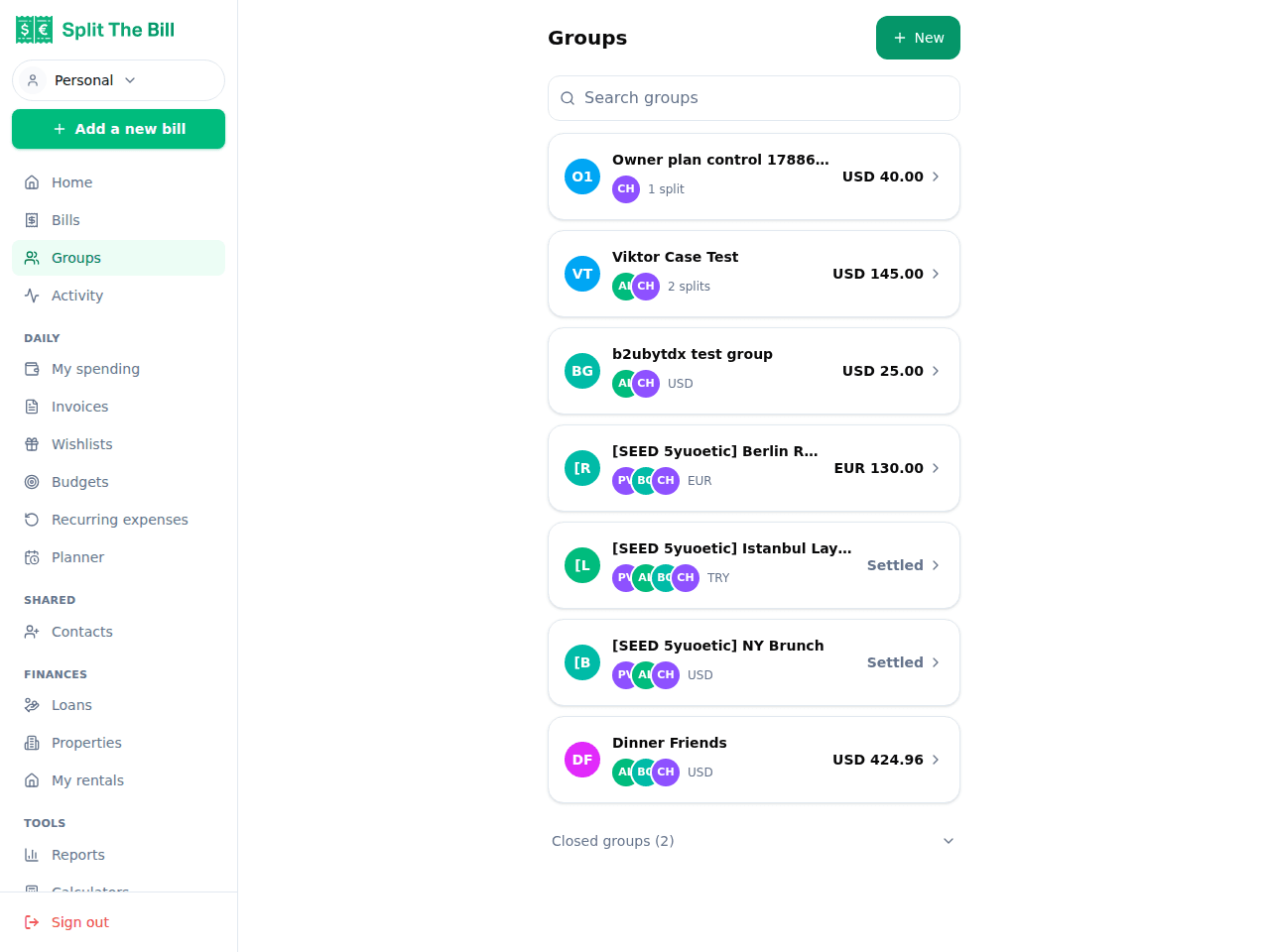
Your roommate group, once members accept the invite. 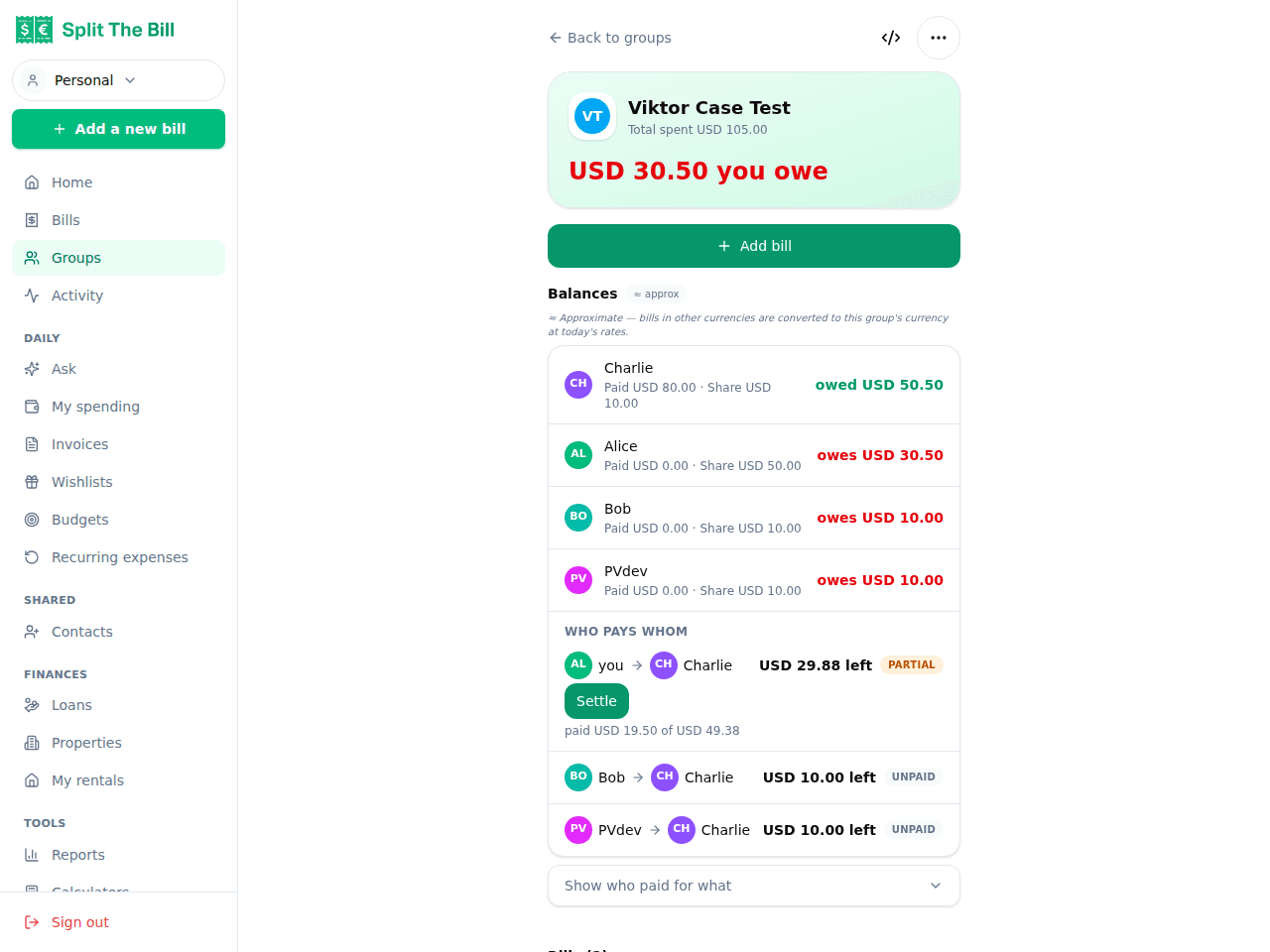
Each bill posted to the group rolls into the running balances view. - 2
Add your payment handles in your profile
On `/profile`, scroll to Settle-up payment methods and add the handles you actually use — Venmo for US, Revolut or PayPal.me for Europe, IBAN if you settle by bank transfer.
Why this matters: when you mark yourself as the rent-payer (your name on the lease, you're fronting the money), each roommate sees a "Pay $X" button on their share of every bill. Tap it → opens the matching app with the amount prefilled. No "I'll Venmo you tonight" that gets forgotten three weeks later.
- 3
Create the rent recurring template
On `/recurring`, click New → enter:
- Name: "Rent" - Amount: total monthly rent (e.g. 3000) - Currency: local (USD, EUR, etc.) - Frequency: Monthly - Day of period: the day of the month rent is due (typically 1)
Save. The first bill will be created on the next 1st (or whichever day you picked). The app stops you from accidentally creating "rent today" by computing the next valid run date from the frequency + day-of-period.
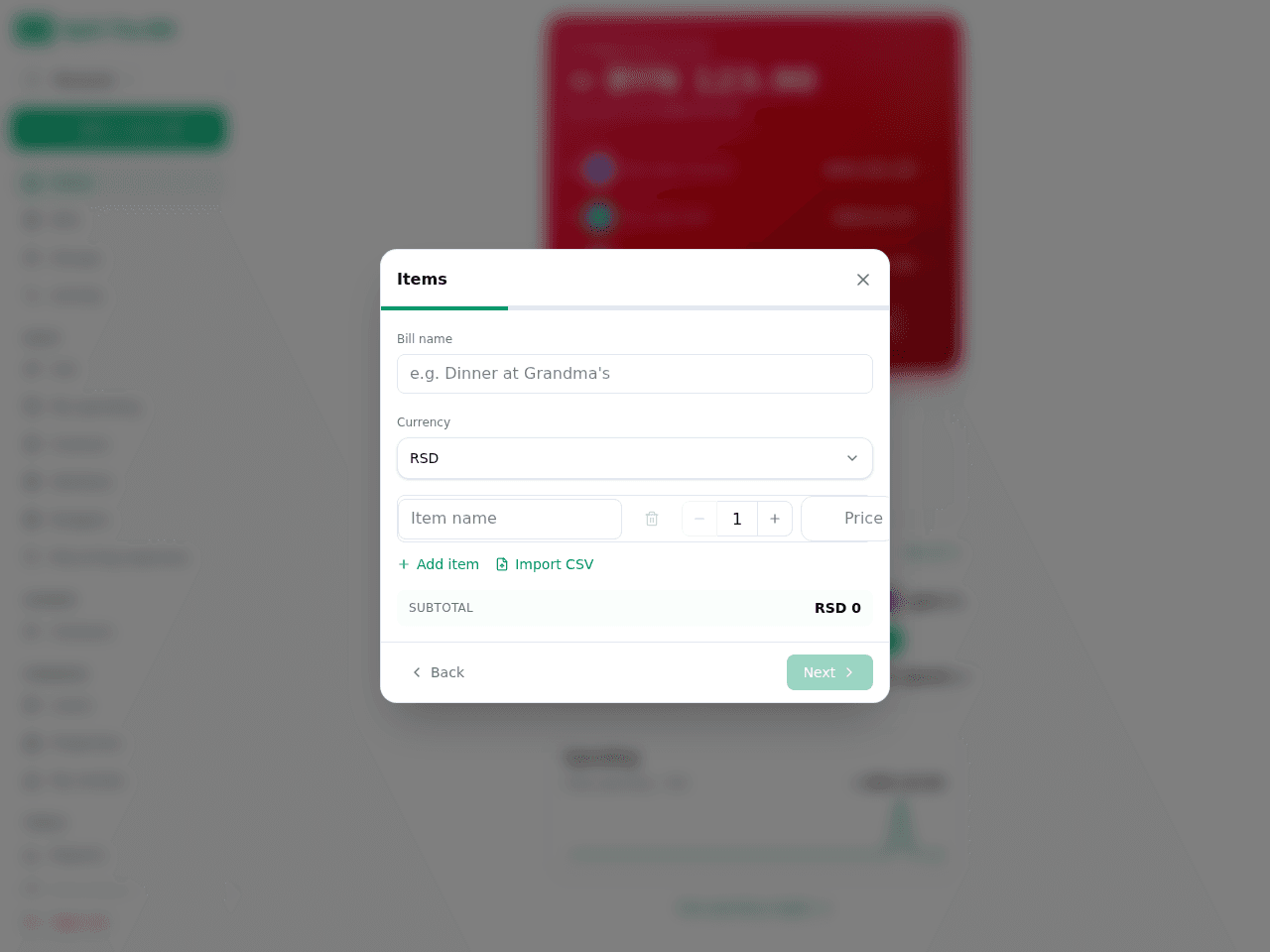
Set amount + frequency once — the cron fires monthly on its own. - 4
Open the first generated bill and set the split
When the cron runs and the first rent bill appears in `/bills`, open it. Click Split this bill → choose Equal (or By share if your rooms aren't the same size). Select the roommates from your Roommates group → save.
From the next month onward, the saved split applies automatically to every new rent bill. You only do this step ONCE.
- 5
Add utilities + subscriptions as more recurring templates
Repeat for each shared expense — internet, electric, water, Netflix, Spotify Family, gym, anything that hits monthly. Each gets its own template; each generates its own bill on its own day.
Pro tip: utilities that vary month-to-month (electric, water) — set the average as the template amount, then edit the actual bill when it comes in. Faster than starting from scratch each month, more accurate than treating it as fixed.
- 6
Send a reminder if someone's slow to pay
On any bill detail, each non-payer share has a small Remind button (owner only) — this is a Pro feature ($7/month or $70/year). Click → email goes out: "you owe $1000 for January rent". Cooldown protected: same peer can be reminded once per 14 days max.
For recurring monthly rent that's reliably on time, this is rarely needed. For utility bills that come due unexpectedly, it's the gentle nudge that doesn't sound like a nag in the group chat. On Free, the workaround is the same one you'd use anyway: text them.
Why this beats a shared spreadsheet
Spreadsheets work, but they fail in a few specific ways:
Math drift. One person edits a cell, another doesn't see the update, the totals get out of sync. With Split The Bill, every roommate sees the same number; the math runs through verified code, not formulas anyone can edit.
No payment integration. A spreadsheet says "Alice owes Bob $1000". Then it's on Alice to remember to actually Venmo Bob. With Split The Bill's settle-up deep links, that's a one-tap action with prefilled amount, opening directly in the payment app.
No history beyond the current month. Spreadsheets either get cluttered (3 years of tabs) or get pruned (lose the historical record). Split The Bill keeps every bill forever, exportable to CSV anytime.
Onboarding cost for new roommates. When someone new moves in, training them on your specific spreadsheet conventions takes 20 minutes. Inviting them to a group + showing them /bills takes 30 seconds.
Common pitfalls and how to avoid them
Including someone in a recurring split when they're moving out mid-month. The recurring template auto-applies the saved split — if you forget to update it, the leaving roommate gets billed for July rent they shouldn't owe. Fix: pause the template the moment someone gives notice, edit the split, resume.
Wrong day-of-period. A monthly template configured for the 31st silently skips February (Feb has no 31st) without action. Split The Bill clamps the day to the actual month length (31 → 28 in February, 30 in April), so every month produces a bill regardless.
Treating utilities as fixed. Most US utilities vary by 20-40% month to month. Set your template to the average, then ALWAYS edit the actual bill when it arrives. Don't leave the auto-generated value as a "close enough" — small drifts compound into hundreds of dollars by year-end.
Adding a new utility but forgetting to add the new roommate to the split. If your apartment expands, the existing recurring template applies to the existing split — new roommates don't auto-join. Edit the template OR edit the first generated bill's split + replicate via the wizard.
When to use a different tool
For very small apartments (2 people, "we just split everything 50/50"), a shared bank account or a single Splitwise group is overhead-equivalent. Use the simplest tool you'll actually use.
For apartments with very high turnover (sublets, short-term roommates, hostels), you spend more time managing membership than actually splitting. A different tool — or just cash — might fit better.
For mixed-currency situations (one roommate paid in USD because they're visiting, you're both EUR-based) — Split The Bill handles this; most spreadsheets don't. The settle-up reconciles in the payer's currency.
Frequently asked questions
Is splitting rent with Split The Bill free?▾
Yes — recurring expenses are in the free tier (capped at 3 recurring templates; rent + a couple of utilities fits). The free plan also covers 10 receipt-scanned bills every 30 days. Recurring-generated bills don't use OCR (they're created from your template), so they don't count against that quota at all. One thing that IS Pro-only: the in-app "Remind" button for nudging a slow payer — on Free you'd text them instead.
What if a roommate doesn't want to install another app?▾
They don't have to. Send them a public share link to a bill — they see the items, the split, their share. No account, no install. To pay you back they tap the "Pay" button which opens Venmo / PayPal / etc. directly. The only friction-zero alternative to "you owe $X this month".
Can I change the split when a roommate moves out?▾
Yes — pause the recurring template, edit the saved split (remove them, redistribute their share), resume. Going forward all new bills use the new split. Past bills keep their original split as historical record.
How does it handle utilities that vary month-to-month?▾
Set the recurring template amount to the average. The cron creates a bill with that estimate, then you edit the actual amount when the utility company's bill arrives. Editing is one click on the bill detail page. The split stays the same; only the amount changes.
What about deposits and one-time costs?▾
For deposits / move-in fees / shared furniture, just create a regular (non-recurring) bill from the New Bill screen. They appear in the same group, same split UI, same settle-up flow as the recurring rent — just without the auto-renew.
Can I see who's caught up vs behind on payments?▾
On each bill detail, every share shows whether the peer has settled (you mark settled manually after they actually pay you). The group page rolls up balances across all bills. Plus the weekly digest email summarizes the week — including any outstanding shares — every Monday.
Does it work if one roommate is in a different country?▾
Yes — multi-currency is in the free tier. A bill in EUR can be settled in USD by a peer abroad; the math reconciles. SEPA QR codes handle European bank transfers; Venmo / PayPal / Wise cover the rest. We've specifically tested with mixed-currency roommate setups (one in EUR, one in USD).
Free tier covers most recipes. Pro is 100 receipts every 30 days + private invite links.


