How a travel expense app settles a business trip
How a travel expense app works, worked through on a 3-day business trip: receipts by photo, €44.80 meal allowance after the breakfast deduction.
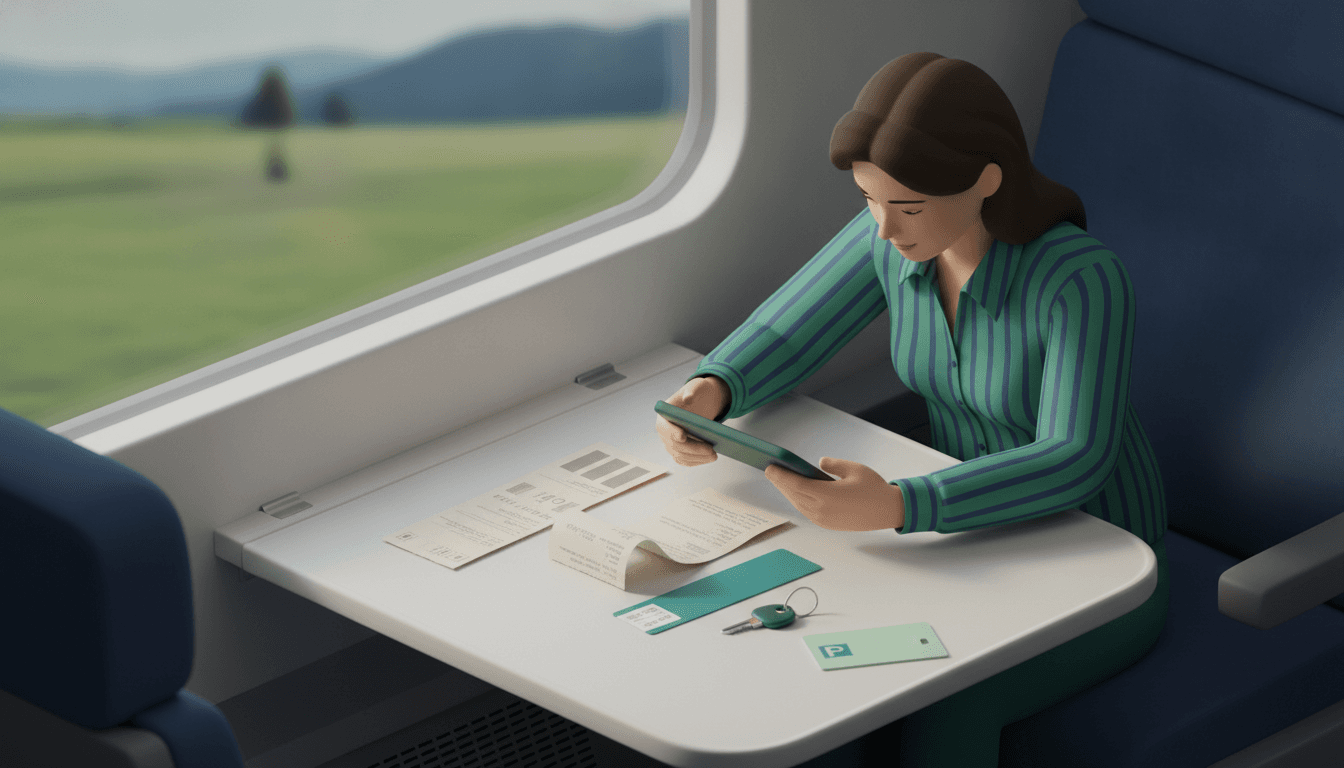
A travel expense app does two kinds of work. It reads receipts from a photo and calculates allowances according to fixed rules. Almost every receipt app can handle the first task. Only an app built for German travel expenses can handle the second.
The difference shows up on an ordinary three-day business trip by train, with a hotel and your own car to get to the station. Some lines are on paper. Others appear on no receipt at all and have to be calculated according to the law.
Key takeaways
- Restaurant receipts don't increase your reimbursement on a business trip. For food, only the meal allowance counts, no matter what the meal cost.
- A hotel breakfast that the employer pays for with the room bill reduces the allowance by €5.60 per breakfast.
- The mileage allowance of €0.30 applies to every kilometre driven. So the trips to and from the station both count.
- Apps for splitting group expenses add up receipts exactly, but they don't calculate tax allowances.
What is an app for travel expenses, in one sentence?
An app for travel expenses is a smartphone or browser program that captures the receipts from a trip, adds up the amounts and produces a claim for your employer, the tax office or a client. The better apps add meal and mileage allowances to the receipts and export the result to your accounting software.
In practice there are two groups. Simple receipt trackers photograph, sort and add up. Expense tools for companies also bring approval workflows, allowances and integrations, for example with DATEV. These tools usually cost a licence per user. Which group you need doesn't depend on convenience. It depends on who checks the claim in the end.
How does a receipt photo become an amount, and where does the AI misread?
A receipt photo is turned into data in three steps. Text recognition (OCR) reads the characters. A model assigns them to fields such as date, merchant, gross amount, currency and VAT. Then the app adds up the amounts. Errors almost always occur in the second step, during assignment. The addition itself is pure arithmetic.
These are the errors we see on receipts again and again:
- Subtotal instead of total: On long till receipts, the line before the tip or before a discount ends up in the amount field.
- Handwritten tip: An amount added in biro is often ignored or read as a new total.
- Faded thermal paper: After a few days in a jacket pocket, digits go missing. So take the photo right there at the table.
- Date format: On foreign receipts, 3 December can easily turn into 12 March.
- Currency: A receipt without a currency symbol is booked in the app's default currency.
The upshot: the AI reads, a human checks. Good apps show the photo next to the recognised fields so you can correct a wrong value in two seconds. From that point on, the calculation has to be deterministic. The same numbers always produce the same total, with no estimating and no rounding by gut feeling.
What does the claim for a 3-day business trip look like in numbers?
A domestic trip from early Monday to Wednesday evening with two hotel nights comes to around €543 using example amounts. About €485 of that comes from photographed receipts. The rest is calculated by rule. The allowances come from Section 9 of the German Income Tax Act: €14 for the outbound and return days, €28 for each full calendar day, €0.30 per kilometre driven in a private car.
The assumptions: the car covers 22 km to the station and back. The hotel charges room and breakfast on one bill, which the employer reimburses.
| Item | Source | Amount (example) |
|---|---|---|
| Return train ticket | Receipt photo / PDF | €189.80 |
| Hotel, 2 nights incl. breakfast | Hotel bill | €248.00 |
| Local transport at destination | Receipt photo | €17.60 |
| Station parking, 3 days | Receipt photo | €30.00 |
| Drive to the station, 44 km × €0.30 | calculated | €13.20 |
| Additional meal expenses | calculated | €44.80 |
| Total | €543.40 |
The €44.80 works out like this: Monday €14, Tuesday €28, Wednesday €14, making €56. There was a hotel breakfast on Tuesday and Wednesday, so €5.60 is deducted twice. By law, this deduction is 20% of the full daily allowance of €28, and it also applies on the day of departure. That leaves €8.40 for that day.
The two dinners, totalling €59.40, don't appear in the table. Anyone who adds them to the receipt total anyway is claiming the food twice.
Which items do you photograph, and which do you calculate using allowances?
Photograph everything that has an invoice or a ticket and is actually reimbursed: train tickets, hotel, taxi, local transport, parking, tolls. Meals and mileage are calculated. For these two items a rule counts, not a receipt. Accommodation is a borderline case. Within Germany, employers may pay €20 per night tax-free without a bill. Otherwise the actual hotel bill applies.
For the allowance-based items, the app needs inputs other than a photo:
- For meals: departure and return times and whether breakfast, lunch or dinner was provided. Lunch and dinner each reduce the allowance by €11.20.
- For mileage: start, destination and distance driven. The easiest way is to note the odometer reading or save the route.
- For one-day trips: how long you were away. The €14 only applies once you've been away from home for more than 8 hours.
You should still photograph restaurant receipts, even if they don't belong in the total. If you take a client out, the dinner becomes business entertainment with its own rules and its own receipt. Then that receipt is the most important piece of paper of the whole trip.
Who is fine with a simple receipt app, and when do you need a proper travel expense claim?
A simple receipt app is enough when nobody requires a tax-compliant travel expense claim. That covers private group trips, teams settling costs among themselves, and freelancers who just collect receipts and add the allowances themselves. As soon as an employer expects approvals, allowances and an export to payroll, you need an expense tool.
| Situation | Simple receipt app | Expense tool for companies |
|---|---|---|
| Holiday with friends, splitting costs | fits | overkill |
| Team outing, one person pays upfront | fits | optional |
| Self-employed, a few trips a year | fits, allowances added manually | optional |
| Employed, company reimburses after approval | not enough | fits |
| Many travellers, DATEV export needed | not enough | fits |
Split The Bill focuses on the first column. You photograph the receipt, the AI reads it, and deterministic maths calculates the totals. Expenses in foreign currencies are converted, and the settlement can be exported as CSV. Split The Bill doesn't offer meal allowances or approval workflows for payroll. If you need those, you're better off with an expense tool.
On a mixed trip with colleagues, friends or a partner, it's often less about the tax office and more about who owes whom what. There are dedicated solutions for splitting travel costs in a group for exactly this case. Fellow travellers open the link in their browser, with no app download.
What do I do with the finished claim: employer, tax or client?
The finished claim goes to one of three places, and each wants something different. The employer reimburses tax-free and needs receipts plus travel times. The tax office only sees employees' travel expenses if the employer hasn't reimbursed them, and then as work-related expenses. A client gets the costs as line items on an invoice.
- Employer: Submit the receipt photos, the calculated allowances and your departure and return times. If your employer deducts less or pays less than the allowance, you can claim the difference in your tax return.
- Tax as a freelancer: For the self-employed, the same meal allowances apply as a business expense. How to treat the hotel breakfast differs from the employee case. It's best to clarify this point once with your tax adviser and then apply it consistently.
- Client: If travel costs are passed on, they belong on the invoice as separate line items, with receipts attached. An invoicing app for freelancers turns them into a PDF that the client can check without follow-up questions.
Keep the original receipts, even if the photo is stored in the app. Whether a digital photo replaces the paper depends on how your employer or your accountant handles archiving.
Frequently asked questions
Can I claim the mileage allowance if I only drive to the station?
Yes, the drive there in your own car is also part of the business trip. All kilometres actually driven are claimed at €0.30. If someone picks you up privately and makes an extra trip to do so, you can't claim that as your own mileage. Note the distance on the same day; later it's hard to prove.
What happens if the client takes me out to lunch?
A meal provided by the employer, or by a third party at the employer's instigation, reduces the daily allowance by €11.20. This can bring the allowance down to zero, but not below. If a business partner invites you on their own initiative, without your employer's involvement, ask HR how they handle it if in doubt.
Does an app for travel expenses also calculate trips abroad correctly?
Trips abroad have their own allowances for each country, which are adjusted regularly. An app only calculates them if it has these country rates stored and keeps them up to date. Converting receipts into euros is a separate matter. Even simple apps with a multi-currency feature can do that. Check before the trip which exchange rate your accounting department accepts.
How do I get started on my next trip?
On your next trip, photograph every receipt at the table or counter. Also note three things that don't appear on any receipt: departure time, return time and meals provided. That makes every claim complete, whatever tool you use to put it together.
If you share expenses with colleagues or fellow travellers, create a group in Split The Bill in your browser and send the link round. Photograph receipts, check the balance, settle up. Fellow travellers don't have to install anything, and the free plan is enough to get started.
Try Split The Bill — free
10 receipt-scanned bills/month, recurring expenses, multi-currency, and settle-up via Venmo / PayPal / Revolut.
Create a free accountRelated posts
Inside a menu translator: photo, translation, overlay
A menu translator runs OCR, machine translation and an on-screen overlay. Each step fails on different menus: chalkboards, stylized fonts, dim light.
- Travel
- OCR
- Receipt
How to Automatically Calculate Bill Splitting from Receipt Photos: 2026 Guide
Learn how to automatically calculate bill splitting just by taking a photo of your receipt. Covers OCR error prevention and app comparison. Split The Bill requires no registration and is permanently…
- Splitting
- Bill
- OCR
Receipt scanning and bill splitting: the 2026 guide
Learn how receipt scanning and bill splitting work via fiscal QR code or OCR, without installing an app. Read the 2026 guide.
- Aplikacija
- Deljenje
- Skeniranje