
The Right Splitwise Alternative Depends on Your Group
Hit Splitwise's daily limit? Compare the best Splitwise alternative options for trips, roommates, and dinners, then find your group's right fit.

The best Splitwise alternative depends on one question: will everyone in your group install an app? If yes, Settle Up or Tricount cover most needs for free. If even one friend refuses, a browser-based splitter that works from a link is the safer pick.
Most people switch for the same reason. Splitwise's free tier now limits how many expenses you can log per day, and that cap bites hardest on trips and busy shared households. Below: what each option costs, how much effort it puts on your group, and who it suits.
Key takeaways
- Splitwise's free tier allows roughly 3 to 4 expense entries per rolling 24-hour window, adds a countdown of about 10 seconds during entry, and puts search and charts behind Splitwise Pro at $4.99 per month.
- Tricount (owned by bunq) is free, lets participants join from a URL without creating an account and works offline, but shows bunq promotion banners.
- Settle Up runs on iOS, Android and the web, supports recurring bills, unequal and percentage splits, and real-time exchange rates.
- Splitser and Splital are European-focused tools that import Splitwise CSV files and have no daily expense limit.
- Export your Splitwise history as a CSV from the web interface before you stop using it, so you keep a record of who owed what.
Why are people looking for a Splitwise alternative?
The trigger is the daily cap. On the free plan, Splitwise lets you add roughly 3 to 4 expenses in any rolling 24-hour window, makes you wait through a timer of about 10 seconds while entering them, and serves full-screen ads. Search and spending charts sit behind the paid Pro plan.
For a couple splitting groceries once a week, that's annoying but survivable. For a group trip, it breaks the tool.
Run the numbers on a normal long weekend away. Fuel, tolls, two dinners, a supermarket run, coffees, museum tickets, a taxi, parking. That's easily 20 expenses. At 3 or 4 a day, logging them takes 5 to 7 days. The trip is over before the ledger is. So you end up back in the group chat, which is exactly what the app was meant to fix.
Paying for Pro removes the limit. That's a fair option if you're the only organizer and you don't mind $4.99 a month. But Pro doesn't solve the other problem: everyone still needs the app and an account to see what they owe. If you want the full picture of how the ledger itself works, our explainer on how Splitwise works covers it.
How do the main Splitwise alternatives compare?
Three things decide the right tool: what it costs, whether your friends must install or register, and what kind of spending it handles best. Ongoing roommate bills, a one-off trip and a single restaurant check need different tools. The table sticks to what's documented for each.
| Tool | Cost | Do friends need to install or sign up? | Best for | Honest limit |
|---|---|---|---|---|
| Splitwise (free) | Free, Pro $4.99/month | Yes, app and account | Long-running groups already on it | 3–4 expenses per day, timers, ads |
| Tricount (by bunq) | Free | No account; join via URL | Trips, offline use | bunq promotion banners |
| Settle Up | Free tier | Yes for full use; web access available | Roommates, multi-currency | Another app for everyone to adopt |
| Splid | Free | One person sets up the group | One-off trips | Built for trips, not ongoing bills |
| Tab / Plates | Free | Varies | A single restaurant check | Not a running ledger |
| Splitser / Splital | Varies | Varies | Europeans leaving Splitwise | Europe-focused |
| Flatmate Flow / Flatastic | Varies | Varies | Shared flats | Household-specific |
| Split The Bill | See our site | No install, no signup for recipients | Mixed groups with app refusers | No offline mode claimed |
One pattern jumps out. The tools that ask the least of your friends are the ones that work through a link. That matters more than any feature list, because a split is only as good as the slowest payer.
Tricount, Settle Up or Splid: which free app is worth switching to?
Tricount, Settle Up and Splid are the three free general-purpose ledgers most people land on after Splitwise. Tricount wins on low friction and offline use, Settle Up wins on features for long-running groups, and Splid is the lightweight choice for a single trip. Each has one real catch.
Tricount
Strength: It's free, and participants join from a shared URL without creating an account. It also works offline, which is a genuine advantage on a hiking trip or anywhere with patchy signal. Few tools in this category can say that.
Limit: Tricount is owned by bunq, and the app shows bunq promotion banners. Not a dealbreaker. Just know you're looking at a bank's marketing while you split the fuel.
Settle Up
Strength: Broad platform coverage across iOS, Android and the web. It handles recurring bills (rent, Wi-Fi), unequal and percentage splits, and real-time exchange rates. For a flat that splits rent by room size, or a group spending in two currencies, it's one of the most complete free options.
Limit: It's still another app. The organizer gets a great tool. The flatmate who "doesn't do apps" still has to be convinced.
Splid
Strength: Built for one-off trips. One person creates the trip and shares it, and the group logs expenses until everyone settles. Simple by design.
Limit: That simplicity is the trade-off. If you want monthly recurring bills or a running household budget, a trip tool will feel thin.
What about receipt scanners and roommate-specific tools?
Specialist tools fall into three camps: Tab and Plates scan a single restaurant receipt, Splitser and Splital target Europeans migrating off Splitwise, and Flatmate Flow and Flatastic focus on shared housing. They beat general ledgers at one job and lose at the rest.
Tab and Plates
Strength: OCR receipt scanning built for itemized restaurant checks. Photograph the bill, tap who had what, done. Perfect for ending the argument over who ordered the wine.
Limit: They're built for one dinner, not ongoing ledger tracking. If the same group also shares a holiday house next month, you'll need a second tool.
Splitser and Splital
Strength: Both offer a direct Splitwise CSV import and no daily expense limits. If you have years of history in Splitwise, an import path is the least painful exit.
Limit: They're European-focused. Groups elsewhere may find them less tailored to local payment habits.
Flatmate Flow and Flatastic
Strength: Designed around the shared flat: recurring monthly bills like rent, Wi-Fi and utilities, with browser access in Flatmate Flow's case.
Limit: Household tools stay in the household. Take them on a road trip and they feel like the wrong shape. For the mechanics of fair rent splits regardless of tool, our guide to splitting expenses with roommates walks through the options.
Where does Split The Bill fit, and where doesn't it?
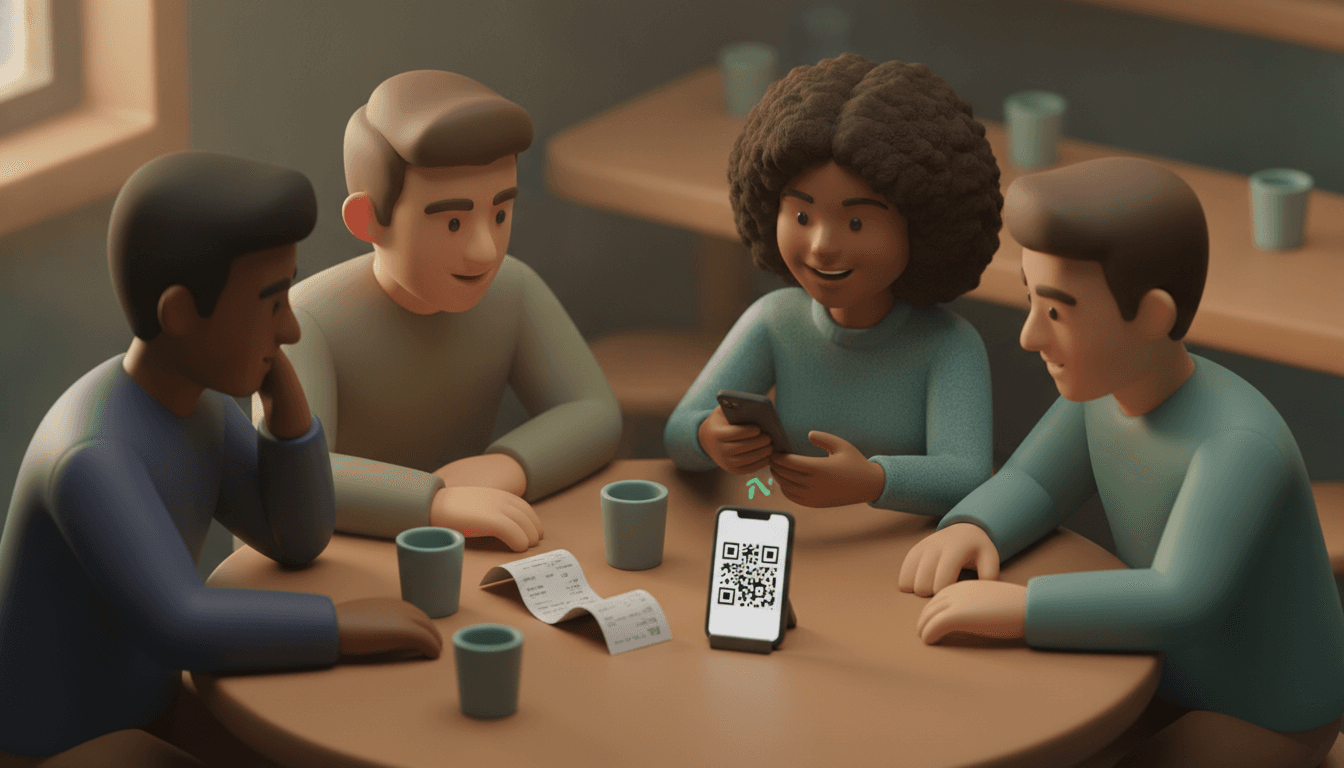
Split The Bill is a browser-based shared-finance tool: you split costs from receipt photos, recurring expenses or fiscal receipt QR codes, then send each person a web link. Recipients see their itemized share and can trigger a bank payment without installing anything or creating an account.
That's the whole point. The organizer does the setup. Everyone else gets a link. Two taps to see what they owe, no app store detour, no password.
A few specifics worth knowing:
- Receipt photos: AI-powered OCR reads the receipt so you're not typing line items.
- Fiscal QR codes: In countries where receipts carry a fiscal QR code, scanning it pulls the purchase data in directly.
- Recurring expenses: Rent, utilities and subscriptions repeat on their own instead of being re-entered each month.
- Deterministic math: Balances and settle-ups are calculated by fixed rules, not estimated by AI. The same inputs always give the same answer, down to the cent. AI reads the receipt. It doesn't do the sums.
- Fewer transfers: Settlement math minimizes the number of payments, so four people on a trip don't end up sending twelve transfers when three will do.
Honest limit: We don't claim offline use. If you're splitting costs deep in the mountains with no signal, Tricount's offline mode is a real advantage. And if your whole group already lives happily inside one native app, a link-based tool solves a problem you don't have.
If you want to compare link-based tools specifically, our breakdown of bill splitting sites that need no app goes through the criteria.
Which Splitwise alternative should you pick for your situation?
Pick by the hardest person in your group, not the keenest. If anyone refuses to install apps, choose a link-based tool. If everyone's on board, choose by spending type: trips, recurring household bills or single dinners. Here's the verdict by situation.
- One-off group trip, everyone has smartphones and signal: Tricount or Splid. One person creates the trip, the rest join.
- Trip with no reliable signal: Tricount, for offline support.
- Long-term roommates with recurring bills: Settle Up, Flatmate Flow or Flatastic if everyone will install. Split The Bill if one flatmate won't.
- Multi-currency travel: Settle Up for real-time exchange rates inside an app, or Split The Bill if your travel group is a mix of people who won't sign up.
- One restaurant dinner with an itemized check: Tab or Plates, or Split The Bill's receipt photo scanning if you want to send each diner a payment link.
- Years of Splitwise history you can't lose: Splitser or Splital for CSV import, especially in Europe.
- Mixed group where someone always says "just tell me what I owe": Split The Bill. They get a link and a number. That's it.
- You're the only organizer and you like Splitwise: Honestly, Pro at $4.99 a month may be cheaper than migrating everyone.
Weighted splits (bigger room, more nights, didn't drink) work differently across tools. Our walkthrough on weighted splits and rounding shows the math, whichever tool you choose.
How do you switch from Splitwise without losing your balances?
Switching cleanly takes five steps: export your CSV from the Splitwise web interface, settle or snapshot every open balance, set up the new tool, re-enter only what's still owed, and archive the old group. Do the export first. Once a group stops using an app, nobody remembers to go back for the data.
- Export your history. Log in to Splitwise on the web and export each group's expenses to CSV. Do this before anyone deletes the app.
- Freeze the old ledger. Agree a cut-off date. Nothing new goes into Splitwise after it.
- Settle or snapshot balances. Ideally everyone pays up at the cut-off. If not, write down each person's net balance from the CSV. You need net numbers, not every coffee from 2023.
- Open the new tool and carry over only the balances. Enter one opening item per person, for example "Opening balance from Splitwise: Sam owes €42.50". If you chose Splitser or Splital, use their CSV import instead.
- Send the new link or invite, and archive the old group. Keep the CSV file somewhere safe in case anyone questions a number later.
The common mistake is re-entering every historical expense. Don't. A clean opening balance is easier to check and nobody argues about a receipt from last spring.
Frequently asked questions
Is there a free Splitwise alternative without a daily expense limit?
Yes. Tricount, Settle Up and Splid are free to use, and Splitser and Splital advertise no daily expense limits at all. Free tools fund themselves somehow, so expect trade-offs like Tricount's bunq promotion banners.
Can friends pay their share without downloading an app?
Yes, with link-based tools. Tricount lets people join from a URL without an account, and Split The Bill sends each recipient a web link showing their itemized share and a way to trigger a bank payment. This is the simplest fix for the friend who has deleted three splitting apps already.
Can I move my Splitwise data to another app?
You can export each group to CSV from the Splitwise web interface. Splitser and Splital can import that file directly; with most other tools you'll carry over net balances by hand. Export one file per group, since a single combined file is harder to reconcile.
Is Splitwise Pro worth paying for instead of switching?
It can be, if you're the only person entering expenses and your group already uses Splitwise. At $4.99 a month, a year of Pro costs about $60, which buys you no daily cap plus search and charts. It doesn't remove the need for every member to have the app and an account.
Do AI-powered splitting apps calculate balances accurately?
It depends on where the AI sits. Using AI to read a receipt (OCR) is fine as long as you can check the line items; using it to estimate who owes what is not. Split The Bill uses AI only for reading receipts and calculates balances with fixed rules, so identical inputs always produce identical totals.
Start with one bill, not a migration
You don't need to move your whole financial life tonight. Pick the next shared cost on the calendar: this month's utilities, Friday's dinner, the deposit on the holiday cabin. Run that one bill through the tool that matches your group from the verdict above.
If the sticking point is the friend who won't install another app, try it with Split The Bill. Snap the receipt or scan the fiscal QR code, send the link, and let them pay from their browser. No signups. No reminders in the group chat. If it works for one bill, it'll work for the next.
Quick FAQ
Is there a free Splitwise alternative without a daily expense limit?
Yes. Tricount, Settle Up and Splid are free to use, and Splitser and Splital advertise no daily expense limits at all. Free tools fund themselves somehow, so expect trade-offs like Tricount's bunq promotion banners.
Can friends pay their share without downloading an app?
Yes, with link-based tools. Tricount lets people join from a URL without an account, and Split The Bill sends each recipient a web link showing their itemized share and a way to trigger a bank payment. This is the simplest fix for the friend who has deleted three splitting apps already.
Can I move my Splitwise data to another app?
You can export each group to CSV from the Splitwise web interface. Splitser and Splital can import that file directly; with most other tools you'll carry over net balances by hand. Export one file per group, since a single combined file is harder to reconcile.
Is Splitwise Pro worth paying for instead of switching?
It can be, if you're the only person entering expenses and your group already uses Splitwise. At $4.99 a month, a year of Pro costs about $60, which buys you no daily cap plus search and charts. It doesn't remove the need for every member to have the app and an account.
Do AI-powered splitting apps calculate balances accurately?
It depends on where the AI sits. Using AI to read a receipt (OCR) is fine as long as you can check the line items; using it to estimate who owes what is not. Split The Bill uses AI only for reading receipts and calculates balances with fixed rules, so identical inputs always produce identical totals.
Try Split The Bill — free
10 receipt-scanned bills/month, recurring expenses, multi-currency, and settle-up via Venmo / PayPal / Revolut.
Create a free accountRelated posts
Splitting expenses online: a practical 2026 guide
How to split expenses online without spreadsheets: division modes, settling up with fewer bank transfers, and friends who do not need to download apps. Check out the step-by-step guide.
- App
- Expenses
- Splitting

Expense-Splitting App for Friends: The 2026 Guide
Expense-splitting apps for friends in 2026: compare Tricount, Splitwise, Splid and Split The Bill, without forcing your friends to sign up. Try it for free.
- Splitwise
- App
- Application

Expense Sharing Apps: The 2026 Comparison
Compare expense sharing apps in 2026: no account required, receipt photo scanning, and fair balance calculations—find the right app today.
- Apps
- Splitwise
- Kosten


