
Splitting expenses online: a practical 2026 guide
How to split expenses online without spreadsheets: division modes, settling up with fewer bank transfers, and friends who do not need to download apps. Check out the step-by-step guide.
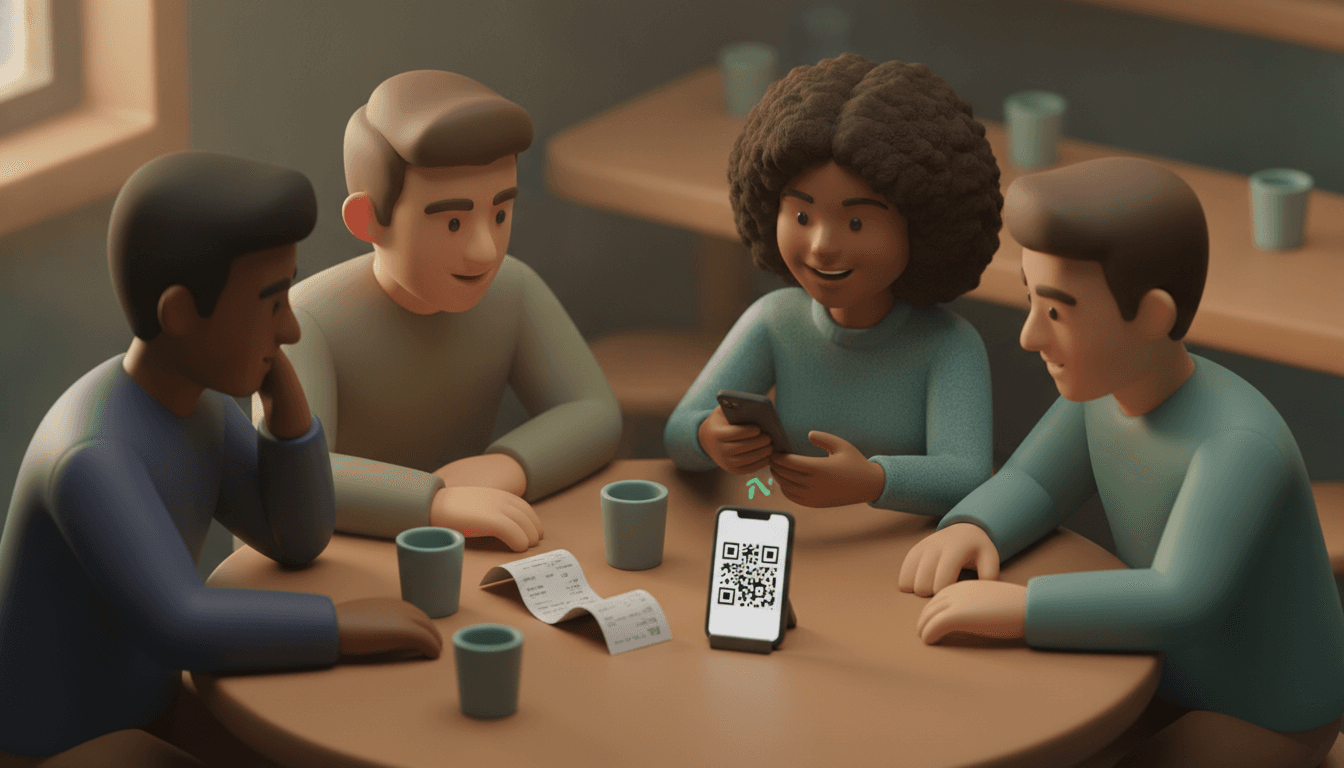
To split expenses online, log each expense in a shared group: who paid, how much was paid, and among whom the expense is divided. The tool calculates each person's net balance and shows who owes how much to whom. Afterward, everyone pays their share via Pix. No spreadsheets and no mental math at the restaurant table.
Splitting expenses online means using a website or app that records collective spending and calculates who owes whom. It works for trips, shared houses, couples, and Friday night dinners.
The problem is rarely the math. The hard part is chasing down the friend who vanishes and convincing the person who refuses to install yet another app.
Key takeaways
- No expense-splitting tool transfers money on its own. It calculates the balance, and participants make a Pix or bank transfer.
- In a group of n people, a simplified settlement requires at most n − 1 transfers, compared to up to one per pair of people in manual calculations.
- Income-proportional splitting follows the formula (individual net income ÷ total net income) × 100: a couple earning R$ 6,000 and R$ 4,000 splits the bills 60% and 40%.
- The free plan of Splitwise, the best-known app in this category (founded in 2011), limits logging to 3 expenses per day. For those who log a lot, this weighs heavily on the choice.
- The NFC-e (electronic consumer receipt) QR code gives access to purchase items, making it easy to split a restaurant bill item by item without typing anything.
How to split expenses online, step by step
There are five stages: creating the group, adding people, logging each expense with who paid, choosing the division mode, and settling balances via Pix. Expenses should be logged right away, not at the end of the trip. Logging in the moment avoids the worst part of any split, which is reconstructing who paid what three weeks later.
- Create a group per context. One for the house, another for the December trip, another for Thursday soccer. Mixing everything into a single group creates balances that nobody understands.
- Add people, even those who will not use the app. Just their names are enough. Anyone who does not want an account receives a link at the time of payment.
- Log each expense with who paid. Amount, short description ("groceries", "airport Uber"), and the payer. If there is a receipt, a photo or QR code handles it.
- Choose how to split. Equal among all, by item, by percentage, or by exact amounts. An expense can exclude someone: whoever doesn't drink doesn't chip in for wine.
- Close the settlement. The tool tallies everything, crosses credits and debits, and shows the final list of transfers. Everyone makes the Pix and marks it as paid.
In practice, step 3 is where groups fail. A rule that works: whoever paid logs it before putting their phone away. Ten seconds right there saves an entire argument later. If you are setting up a group from scratch, our shared expense app guide shows how to organize fixed and occasional groups.
Equal, by item, by room, or by income: which split method to use?
The right mode depends on how much consumption varies among people. Equal splitting (50/50 or per head) works when everyone uses the same thing. By item is for restaurants. By room is for rent in shared houses. Income-proportional is for couples with very different salaries.
| Mode | How it calculates | When to use | Where arguments happen |
|---|---|---|---|
| Equal | Total ÷ number of people | Trips with friends, home internet, equal bedrooms | When someone consumes much more |
| By item | Everyone pays what they ordered, plus proportional tax | Restaurant, bar, delivery | Shared items (appetizers, bottles) |
| By percentage or room | Fixed weight per person (e.g., room size) | Rent in shared houses, suite vs. room without bathroom | Defining the weight at the beginning |
| Income-proportional | (individual income ÷ total income) × 100 | Couples with different salaries | Updating when income changes |
Example: a couple with different incomes
Ana earns R$ 6,000 net and Bruno R$ 4,000. Total income is R$ 10,000. Ana accounts for 60% of household bills and Bruno for 40%. If rent, utilities, and groceries total R$ 3,000 for the month, Ana pays R$ 1,800 and Bruno R$ 1,200. Both commit the exact same share of their salary: 30%.
Many couples combine this calculation with the "three accounts" system: each keeps a personal account and transfers their share to a joint account or wallet that pays household expenses.
Example: a shared house with different bedrooms
A 16 m² suite and two 10 m² bedrooms shouldn't pay the same rent. You can use floor area as weight and split common areas equally. The complete calculation, including utility bills, is in our guide on calculating shared house rent proportions.
Restaurant service charge
The 10% service tip is customary in Brazil, not mandatory. In an itemized split, the charge must be proportional to what each person consumed. If you ordered R$ 80 and your friend R$ 40, you pay R$ 8 in service and they pay R$ 4. Splitting the tip equally is a subtle way to make your frugal friend subsidize your draft beer.
Do you need to download an app to split expenses online?
No. Web tools run in the browser via a shared link on WhatsApp, and Google Sheets runs without installation either. For the organizer, an app helps. For other participants, demanding a download and registration is the main reason groups abandon tools in the second week.
This scenario is familiar. You create the trip group, send the invite, and two out of five friends reply "I'll check it later." Later never comes. You go back to logging everything alone, and the tool turns into an overpriced spreadsheet.
That is why Split The Bill works differently: the organizer uses the web app, and those who only need to pay receive a private link with the amount for their share. They open it, view the details, and pay. No registration, no downloads, no menus to learn. We explain this flow in detail in the guide on splitting expenses without registration.
What to evaluate before choosing:
- Who needs an account? Just the organizer or everyone?
- Is there a free plan limit? Daily transaction limits mess up trips when ten expenses come in on a single day.
- Does it accept multiple currencies? Essential for international travel.
- Does it export data? CSV prevents getting locked into the tool.
How to settle accounts with the minimum number of bank transfers
Simplified settlement totals everything each person paid and consumed, calculates a single net balance per person, and only then generates transfers. With n people, at most n − 1 Pix transfers are needed. Without simplification, every pair of people who paid something for one another turns into a separate transfer.
Worked example: weekend at the beach
Four friends, total expenses of R$ 1,200, or R$ 300 per person:
| Person | Paid | Should pay | Balance |
|---|---|---|---|
| Carla | R$ 700 (house) | R$ 300 | +R$ 400 |
| Diego | R$ 350 (groceries) | R$ 300 | +R$ 50 |
| Edu | R$ 150 (gas) | R$ 300 | −R$ 150 |
| Fê | R$ 0 | R$ 300 | −R$ 300 |
If everyone settled expense by expense, Edu and Fê would pay Carla and Diego separately, and Edu would still receive part of the gas money back. That could be up to six crisscrossing transfers. With net balances, there are three: Fê sends R$ 300 to Carla, Edu sends R$ 100 to Carla and R$ 50 to Diego. It zeroes out to R$ 0 for everyone.
A point worth clarifying: this calculation is deterministic. It's addition and subtraction, with the same result every time. In Split The Bill, AI is only used to read receipts (OCR). Who owes whom is pure arithmetic, not model estimation. You can check it line by line.
Another point: none of these tools make payments for you. They show the amount. The Pix comes out of each person's account.
Spreadsheet, mental math, or app: what works for each group
A spreadsheet works for a disciplined organizer and fixed expenses like rent and HOA fees. Mental math works for a single bar tab. A web app solves groups with many payers, frequent expenses, and people who do not want to register.
| Situation | Spreadsheet | Manual | Division app |
|---|---|---|---|
| Fixed rent among 3 people | Works well | Works | Works, with automatic recurrence |
| 7-day trip, 5 payers | Turns into a mess fast | Impossible | Ideal |
| Dinner with itemized bill | Slow | Error in service charge | Fast with photo or QR code |
| Trip with reais and euros | Manual exchange formula | None | Native multi-currency |
| Friend who refuses to install anything | Needs spreadsheet access | OK | Only if there is a no-registration link |
Being honest about the competition: Splitwise is mature, well-known, and works well for those who accept free plan limits. Recent Brazilian tools got it right by centering everything around the Pix key. If your group already uses an app and everyone is registered, switching might not be worth the effort. We put together a comparison of expense splitting apps with the pros and cons of each.
For trips, the deciding factor is usually currency and transaction volume. The group travel expenses guide covers exchange rates, advances, and collective kitties.
Receipts and QR codes: how to stop typing items one by one
Every NFC-e issued in Brazilian retail features a QR code that leads to the receipt lookup on the state Treasury Department's website, showing the list of items and prices. Scanning this code imports items directly into the split without typing and without decimal errors.
In Split The Bill, there are two paths:
- NFC-e QR code: point your camera at the code printed on the receipt. Items are entered with the description and price from the receipt.
- Photo of receipt or invoice: for receipts without a QR code, like a paper restaurant bill or foreign receipt, AI scanning reads the items and you review them before saving.
Then just tap the name of whoever consumed each item. The plate of fries goes to all four, the juice only to Fê. Two taps. Thirty seconds. The service charge is distributed in the right proportion without anyone opening a calculator.
For expenses that repeat every month, like rent, internet, and streaming, it's worth setting them up as recurring expenses. They drop in automatically on the agreed date, and the group balance updates in real-time. For small businesses or formal billing, invoices export as PDFs.
Frequently asked questions
Do expense-splitting apps make payments automatically?
No. They calculate the net balance of debits and credits and indicate who should transfer how much to whom. Transfers are made by the participant themselves, via Pix or bank. Some tools pre-fill the creditor's Pix key to speed things up, but confirmation remains the responsibility of the payer.
How do you split travel expenses in different currencies?
Log each expense in the currency it was paid in and set the group settlement currency, normally the real. The tool converts amounts at the time of closing. If the group exchanged money before the trip, agree on whether to use the exchange house rate or the day's rate, because the difference can exceed a few percentage points.
Can you split expenses online using only Google Sheets?
You can, and for fixed expenses among a few people, it works fine. The spreadsheet just doesn't simplify settlements on its own: to minimize transfers, someone needs to build net balance formulas. It also doesn't read receipts, so each item must be typed manually.
What is the fairest way to split a couple's bills?
For similar salaries, 50/50 works. When one earns significantly more than the other, splitting proportional to net income makes both commit the same percentage of their salary. Review the proportion whenever there is a raise, a job change, or an income shift, otherwise the calculation becomes outdated in a few months.
Start with the group's next bill
Don't migrate the entire history. Choose the next collective expense, whether it's Friday drinks, November rent, or the first night of the trip, and log it there. Create the group, add names, and scan the receipt. Anyone who doesn't want to download anything receives the link with the correct amount and pays in seconds.
Split The Bill has a free plan to get started, and Pro adds an AI chat and voice assistant for those organizing many groups. No tricks: the math adds up, the link is private, and nobody needs to create a password to pay what they owe.
Quick FAQ
Do expense-splitting apps make payments automatically?
No. They calculate the net balance of debits and credits and indicate who should transfer how much to whom. Transfers are made by the participant themselves, via Pix or bank. Some tools pre-fill the creditor's Pix key to speed things up, but confirmation remains the responsibility of the payer.
How do you split travel expenses in different currencies?
Log each expense in the currency it was paid in and set the group settlement currency, normally the real. The tool converts amounts at the time of closing. If the group exchanged money before the trip, agree on whether to use the exchange house rate or the day's rate, because the difference can exceed a few percentage points.
Can you split expenses online using only Google Sheets?
You can, and for fixed expenses among a few people, it works fine. The spreadsheet just doesn't simplify settlements on its own: to minimize transfers, someone needs to build net balance formulas. It also doesn't read receipts, so each item must be typed manually.
What is the fairest way to split a couple's bills?
For similar salaries, 50/50 works. When one earns significantly more than the other, splitting proportional to net income makes both commit the same percentage of their salary. Review the proportion whenever there is a raise, a job change, or an income shift, otherwise the calculation becomes outdated in a few months.
Try Split The Bill — free
10 receipt-scanned bills/month, recurring expenses, multi-currency, and settle-up via Venmo / PayPal / Revolut.
Create a free accountRelated posts

The Right Splitwise Alternative Depends on Your Group
Hit Splitwise's daily limit? Compare the best Splitwise alternative options for trips, roommates, and dinners, then find your group's right fit.
- Apps
- Splitwise
- Splitting

Expense-Splitting App for Friends: The 2026 Guide
Expense-splitting apps for friends in 2026: compare Tricount, Splitwise, Splid and Split The Bill, without forcing your friends to sign up. Try it for free.
- Splitwise
- App
- Application

Expense Sharing Apps: The 2026 Comparison
Compare expense sharing apps in 2026: no account required, receipt photo scanning, and fair balance calculations—find the right app today.
- Apps
- Splitwise
- Kosten


