
Expense-Splitting App for Friends: The 2026 Guide
Expense-splitting apps for friends in 2026: compare Tricount, Splitwise, Splid and Split The Bill, without forcing your friends to sign up. Try it for free.

An expense-splitting app for friends is used to track who paid for what in a group, then automatically calculate who owes whom. It's the natural replacement for the Excel spreadsheet nobody updates, or the notebook lost at the bottom of a bag.
This guide is for the organizer: the person who fronts the rent, books the group Airbnb, or manages the dinner kitty.
Here we compare the established players (Tricount, Splitwise, Splid) and explain where a web app like Split The Bill changes the game for groups with at least one app-averse member.
Key takeaways
- Tricount claims more than 20 million users and an average rating of 4.8/5 on the App Store and Google Play, following its acquisition by Dutch neobank bunq in May 2022 for around €17 million (tricount.com).
- Splitwise's free tier caps additions at around 3 to 4 expenses a day; the Pro subscription costs about $4.99 a month or $39.99 to $49.99 a year to remove that limit.
- Nos comptes entre amis, BNP Paribas's app, is 100% free and allows direct reimbursement via Lyf Pay (noscomptesentreamis.bnpparibas).
- Splid works offline in more than 150 currencies, without requiring every participant to create an account, using a simple alphanumeric group code.
- The debt-simplification algorithm, found on several serious apps, reduces a group of 6 people to 2 or 3 transfers instead of a dozen cross-reimbursements.
What is an expense-splitting app for friends?
An expense-splitting app for friends records a group's shared expenses (friends, couples, roommates, travelers) and automatically calculates everyone's balance. Money never passes through the app itself: it only does the math, and reimbursements then happen by bank transfer or in cash.
This is where a lot of people get confused. An expense-splitting app for friends is not an online collection pot. A collection pot gathers money in advance into a shared fund; an expense-splitting app simply tells you who owes whom, after the fact. Mixing up the two leads to frustration: you wait for an automatic transfer that will never come, because the tool was never designed to collect money.
The technical principle behind it, however, is simple and entirely deterministic: additions, subtractions, division by the number of shares. No AI 'guessing' who owes what, just verifiable math you could recalculate yourself on a scrap of paper if you doubted it.
How to choose your expense-splitting app
The right choice depends first on a single question: is everyone in the group willing to create an account? If the answer is no, and that's the case for most groups, guest access without sign-up becomes the number one criterion, ahead of even price or design.
Here's what to check before choosing:
- Guest access without an account: a web link that anyone can open and edit, no download or password needed.
- Receipt scanning (OCR): the ability to read a photographed receipt and automatically split line items, useful for a dinner with differently priced dishes.
- Debt simplification: the calculation that reduces the final number of transfers to the bare minimum.
- Multi-currency support: essential when traveling, to lock in the exchange rate on the date of purchase and avoid rounding discrepancies at the end of a trip.
- Price and limits: some free versions cap the number of expenses you can log per day, which quickly becomes annoying during a busy weekend.
For a broader comparison including other criteria like CSV exports or freelance invoicing, our comparison of expense-splitting apps in 2026 breaks down each option line by line.
Tricount, Splitwise, Splid, Split The Bill: how do they compare?
The four most-cited tools don't all play quite the same role: some are pure expense ledgers, others add payment or scanning features. Here's where each one actually stands.
| App | Price | No-account link for guests | Native offline mode | Receipt scanning (OCR) | Debt simplification |
|---|---|---|---|---|---|
| Tricount | Free (optional bunq card) | Yes, via web link | Yes | No | Yes |
| Splitwise | Free with daily limit / Pro ~$4.99/month | Yes for invited members | Yes | Yes (Pro version) | Yes |
| Splid | Free | Yes, via group code | Yes | No | Yes |
| Split The Bill | Free / Pro plan | Yes, direct link, zero install | Not applicable (web app) | Yes, built in | Yes, deterministic calculation |
Tricount remains the historic go-to: offline access, sharing via link with no sign-up required, weighted or uneven splits, and an optional bunq card integration that automatically adds card-paid expenses (tricount.com). It's an excellent choice if your group sticks to a single app long-term.
Splitwise built its reputation on the debt-simplification algorithm, but the free version has become restrictive: a daily cap on logged expenses, with ads between additions. The Pro subscription removes that limit and unlocks receipt scanning and live currency conversion.
Splid focuses on offline simplicity and support for 150 currencies, handy when hiking or in areas without network coverage. Its drawback: no receipt scanning, everything has to be entered manually.
Split The Bill starts from a different premise: friction rarely comes from the calculation itself, it comes from the moment you have to convince a friend to download yet another app. Hence the choice of a shared link that opens from any browser, AI-powered receipt scanning to avoid line-by-line manual entry, and a balance calculation that's always deterministic: never an estimate. For an even more complete overview of the market's free tools, see our guide to free expense-splitting apps in 2026.
How to split a bill step by step
Splitting a group bill takes less than two minutes if you follow a logical order: photograph, verify, assign, share, confirm, settle. Here's the practical method, tested on a dinner for six with dishes and wine bottles split unevenly.
- Photograph the receipt or scan the tax QR code if the bill has one.
- Let the OCR detect each line (dish, price, quantity) then check that the total matches the paper receipt.
- Assign each item to the relevant person or people: even split, by share, or by percentage for special cases (someone who didn't drink alcohol, for instance).
- Share the group link with everyone present — none of them need to install anything or create an account.
- Confirm the final tally together before the group physically disperses: this is the moment when mistakes are easiest to fix.
- Settle up immediately via an instant transfer (Wero, Lydia) or directly within the app, based on the result of the debt simplification.
When traveling, add one rule: lock in the exchange rate as soon as you log an expense outside the euro zone, to fix the amount on the purchase date and avoid rounding discrepancies when everyone converts on different dates. For detailed mechanics on splitting by dish or by item, our 2026 guide to splitting bills goes further than these six steps.
Rent, recurring expenses, and loans between friends: the roommate scenario
A shared household generates recurring expenses — rent, utilities, internet, shared groceries — that deserve different tracking than a one-off dinner: you need a monthly history, not just an instant balance. The right tool automatically carries over fixed amounts each month, with no need to re-enter them.
Rent poses a particular problem when bedrooms aren't equal in size: a strictly even split then becomes unfair. A weighted split, by share or by a fixed percentage per person, settles the issue once and for all at the start of the lease, without reopening the debate every month.
Informal loans between friends — fronting money for a shared gift, a €50 bailout before payday — are easily forgotten. A dedicated tracker for loans between friends keeps a dated record of each IOU, separate from regular group expenses, which avoids the classic "I thought that was paid back."
For groups that travel rather than live together, the logic is the same but applied to currencies: see our comparison of bill-splitting sites in 2026 for options that handle multiple currencies well without needing an app installed.
Why your friends don't need to download an app
Most expense-splitting apps for friends require at least the active members to create an account to see their balance and confirm expenses. It's only fair to say that Tricount and Splid already reduce this friction through link- or group-code sharing, with no sign-up required just to view.
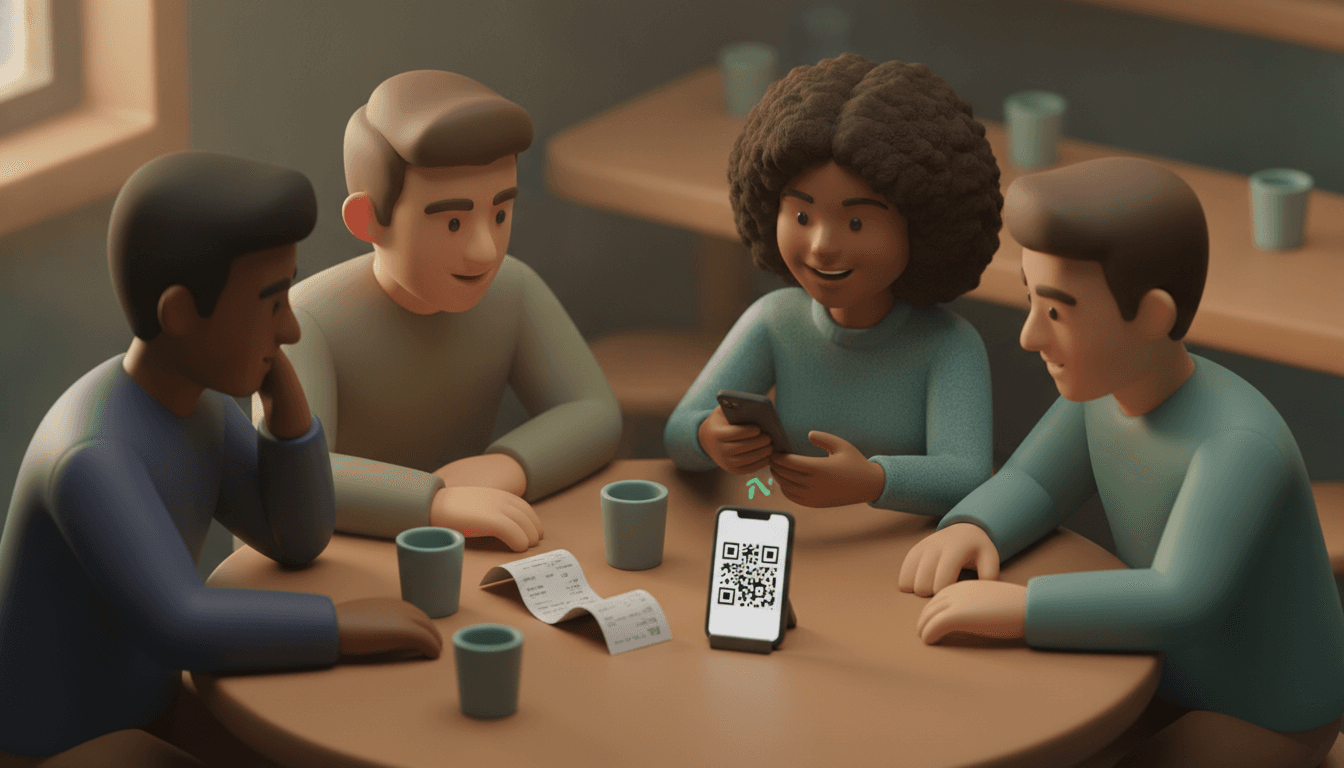
Split The Bill takes this principle further: no download, no account creation, for any participant. You send a link, the person opens it in their browser, sees the details, and adds their own expense if needed. Two taps. Thirty seconds. No account forgotten six months later, no friend replying "I'll check it later" and never actually checking.
This approach matters especially for one-off groups: a meal with coworkers you won't necessarily see again, a one-time trip among acquaintances, a birthday where half the guests don't know the other half. Nobody wants to install an app for a single evening. To compare this exact criterion across tools, our comparison of the best apps for splitting bills in 2026 breaks down honestly who requires what, without favoring any tool by default.
Frequently asked questions
What's the best app for managing expenses between friends?
There's no single "best" app: Tricount suits groups that stick to one app long-term, Splid suits offline travel, Splitwise suits those willing to pay to remove the free-tier limit, and a web app like Split The Bill suits groups where some members refuse to install anything.
Are expense-splitting apps free?
Most offer a free tier, but with real limits: Splitwise caps logged expenses at around 3 to 4 a day on the free version, while Tricount and BNP Paribas's Nos comptes entre amis app remain free with no such daily cap.
How does debt simplification work?
Debt simplification recalculates all the balances in a group to suggest the smallest possible number of transfers, instead of having each person reimburse everyone else individually. In a group of six with crisscrossing expenses, this can cut a dozen transfers down to just two or three.
Can you use an expense-splitting app for friends without an internet connection?
Yes, some apps like Tricount and Splid have a native offline mode that logs expenses locally and syncs them as soon as the connection returns. That's handy when hiking, on a plane, or in areas with poor coverage abroad.
What's the difference between an expense-splitting app for friends and an online collection pot?
An expense-splitting app for friends calculates who owes whom after the fact, without ever actually receiving money itself. An online collection pot, by contrast, genuinely collects funds in advance into a shared pool; confusing the two tools often leads to waiting for an automatic reimbursement that doesn't exist.
Settle up with your friends tonight, without forcing anyone to sign up
Next time a dinner, a weekend away, or a month of shared housing generates a list of who-owes-what, skip the spreadsheet and the rough cross-transfers. Scan the receipt, let the calculation do itself, and send your friends a link instead of a download link.
Split The Bill does exactly that: AI-powered receipt scanning, deterministically calculated balances, link-sharing with no sign-up for your guests, and reimbursement tracking down to the last cent. Try it on your next group outing — you'll see the difference from the very first "who got the wine?"
Quick FAQ
What's the best app for managing expenses between friends?
There's no single "best" app: Tricount suits groups that stick to one app long-term, Splid suits offline travel, Splitwise suits those willing to pay to remove the free-tier limit, and a web app like Split The Bill suits groups where some members refuse to install anything.
Are expense-splitting apps free?
Most offer a free tier, but with real limits: Splitwise caps logged expenses at around 3 to 4 a day on the free version, while Tricount and BNP Paribas's Nos comptes entre amis app remain free with no such daily cap.
How does debt simplification work?
Debt simplification recalculates all the balances in a group to suggest the smallest possible number of transfers, instead of having each person reimburse everyone else individually. In a group of six with crisscrossing expenses, this can cut a dozen transfers down to just two or three.
Can you use an expense-splitting app for friends without an internet connection?
Yes, some apps like Tricount and Splid have a native offline mode that logs expenses locally and syncs them as soon as the connection returns. That's handy when hiking, on a plane, or in areas with poor coverage abroad.
What's the difference between an expense-splitting app for friends and an online collection pot?
An expense-splitting app for friends calculates who owes whom after the fact, without ever actually receiving money itself. An online collection pot, by contrast, genuinely collects funds in advance into a shared pool; confusing the two tools often leads to waiting for an automatic reimbursement that doesn't exist.
Try Split The Bill — free
10 receipt-scanned bills/month, recurring expenses, multi-currency, and settle-up via Venmo / PayPal / Revolut.
Create a free accountRelated posts

The Right Splitwise Alternative Depends on Your Group
Hit Splitwise's daily limit? Compare the best Splitwise alternative options for trips, roommates, and dinners, then find your group's right fit.
- Apps
- Splitwise
- Splitting
Splitting expenses online: a practical 2026 guide
How to split expenses online without spreadsheets: division modes, settling up with fewer bank transfers, and friends who do not need to download apps. Check out the step-by-step guide.
- App
- Expenses
- Splitting

Expense Sharing Apps: The 2026 Comparison
Compare expense sharing apps in 2026: no account required, receipt photo scanning, and fair balance calculations—find the right app today.
- Apps
- Splitwise
- Kosten


